Stream Deck
Your CS2 numbers, widgets and Twitch predictions on your keys. Install the plugin, pair it once, drag keys onto your deck.
Install
Needs the Stream Deck app 7.1 or newer on Windows 10+ or macOS 13+. Pick one of the two ways.
- Elgato Marketplace: in the Stream Deck app open Marketplace, search for PlayerCards and install it. If it is not listed for you yet, use the direct download.
- Direct download: download the plugin file below and open it. The Stream Deck app installs it by itself.
- The PlayerCards category now shows in the action list on the right of the Stream Deck app.
- Direct download
https://player-cards.app/downloads/playercards-streamdeck-beta.streamDeckPlugin
Pair with one code
Live, widget and Twitch keys talk to your PlayerCards account. Pair once per PC; the plugin remembers it. Player value (local) works without an account and needs no code.
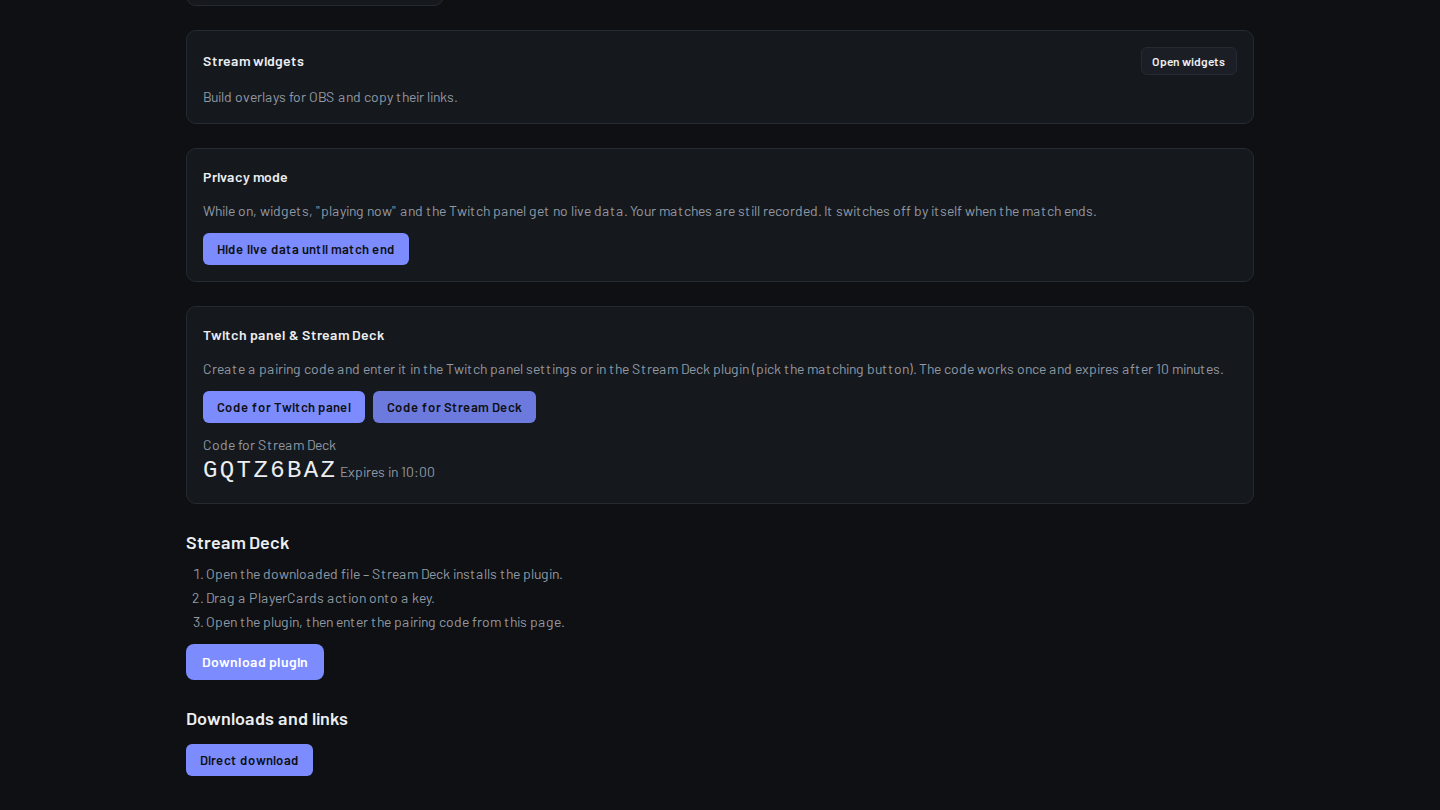
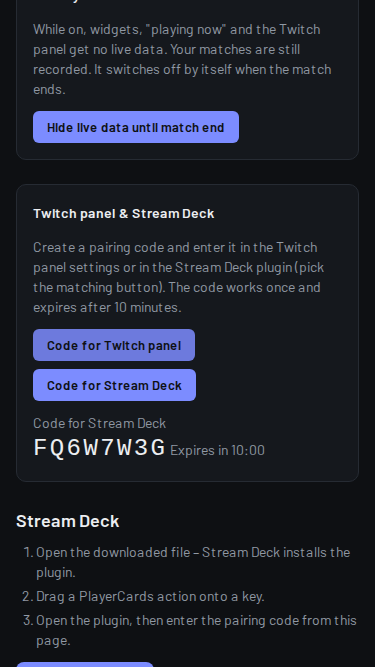
- Open your Creator dashboard at player-cards.app/me/creator and click "Code for Stream Deck". The code works once and expires after 10 minutes.
- In the Stream Deck app drag any PlayerCards key onto your deck and click it. The settings panel opens below.
- Type the 8-character code into "Pairing code" and click "Pair". "Connected." means you are done.
Keys
Widget: controls one of your OBS widgets. Pick a command: On/Off, Next view, Animation (Entrance, Win, Level up, Highlight) or Preset (Rotation, Compact bar, Mini, Last match).
Live value: shows Score, K/D, Elo, FACEIT session or GSI status from your card. Press opens your card.
Player value (local): reads CS2 on your PC in real time: Bomb timer, Round time, Phase, HP, Armor, Money, Equipment value, Utility, Round kills, Round damage, K/D/A, MVPs, Score, Map, Match score. Nothing leaves your PC.
Privacy: hides your live data until the match ends. The key turns into a warning while it is on.
Show card: shows your card in a widget for 1 to 60 seconds (default 8).
Copy card link: copies the link to your card.
Reset FACEIT session: starts your FACEIT session (wins and losses) from now.
Widget theme: sets the color theme of a widget.
Status: a calm check mark. It blinks only when you need to act: press shows the reason, a second press within 6 seconds opens the fix, a long press acknowledges.
Twitch prediction: starts (with your template from /me/twitch), locks or cancels the prediction on your channel.
Skip viewer card: skips the channel-points viewer card on stream.
Both Twitch keys need Twitch connected and a paired Twitch panel; until then they show "no Twitch".
Dials on Stream Deck +
Live value (dial): one value per dial on the touch strip, in your theme. Push or tap opens your card.
Widget opacity (dial): turn to fade your widget between 20 and 100 %, 5 % per tick. Push or tap resets to 100 %.
Look
Theme for all keys: PlayerCards Dark (default), Mono, Outline or Minimal, plus accent, background, font size and icon. Share a theme as a code with Export and Import.
Look of this key: your own label (up to 12 characters), colors, and up to 4 thresholds that color, blink or dim a key by its number, for example HP below 30.
Language: English by default; pick Deutsch in the settings panel, it switches at once.
Example layouts
Stream Deck MK.2 (15 keys), the gamer row: Player value Bomb timer, HP, Money, Round kills, K/D/A; below Live value Elo, FACEIT session and Status; at the side Privacy.
Stream Deck MK.2, the streamer row: Widget On/Off, Widget Next view, Show card, Twitch prediction Start and Lock, Skip viewer card, Copy card link and Status.
Stream Deck +: two Live value dials (Elo, K/D), one Widget opacity dial, and Status on a key above.
Local player values
On its first start the plugin writes the file gamestate_integration_playercards_deck.cfg into your CS2 cfg folder. Restart CS2 once after that. Data only goes to 127.0.0.1 on your PC.
If the panel says "CS2 folder not found", paste the folder into "CS2 cfg folder" and click "Use folder". The cfg folder, the CS2 game folder or a Steam library folder all work.
While FACEIT runs on Windows, local keys show "FACEIT off".
- CS2 cfg folder
steamapps/common/Counter-Strike Global Offensive/game/csgo/cfg
Troubleshooting
Plugin does not show up: check the Stream Deck app is 7.1 or newer, then quit and reopen it. With the direct download, open the file again.
Pair again: keys say "not connected" when the device was removed under Paired Stream Decks on /me/creator or was unused for 90 days. Click "Disconnect" in the settings panel if shown, create a new code and pair.
"Code invalid or expired.": create a new code, each works once for 10 minutes. "Too many devices.": remove an old one under Paired Stream Decks.
Keys say "offline" or "back soon": the plugin cannot reach player-cards.app or is waiting a moment. It reconnects by itself.
Firewall or proxy: the plugin needs outgoing HTTPS to player-cards.app and does not use a proxy. Allow the Stream Deck app through your firewall. Local player values only use 127.0.0.1.
Version
Current plugin version: 1.1.3. The Stream Deck app offers updates from the Marketplace by itself; with the direct download, download it again.